Megasys Budget
Your money,
finally clear.
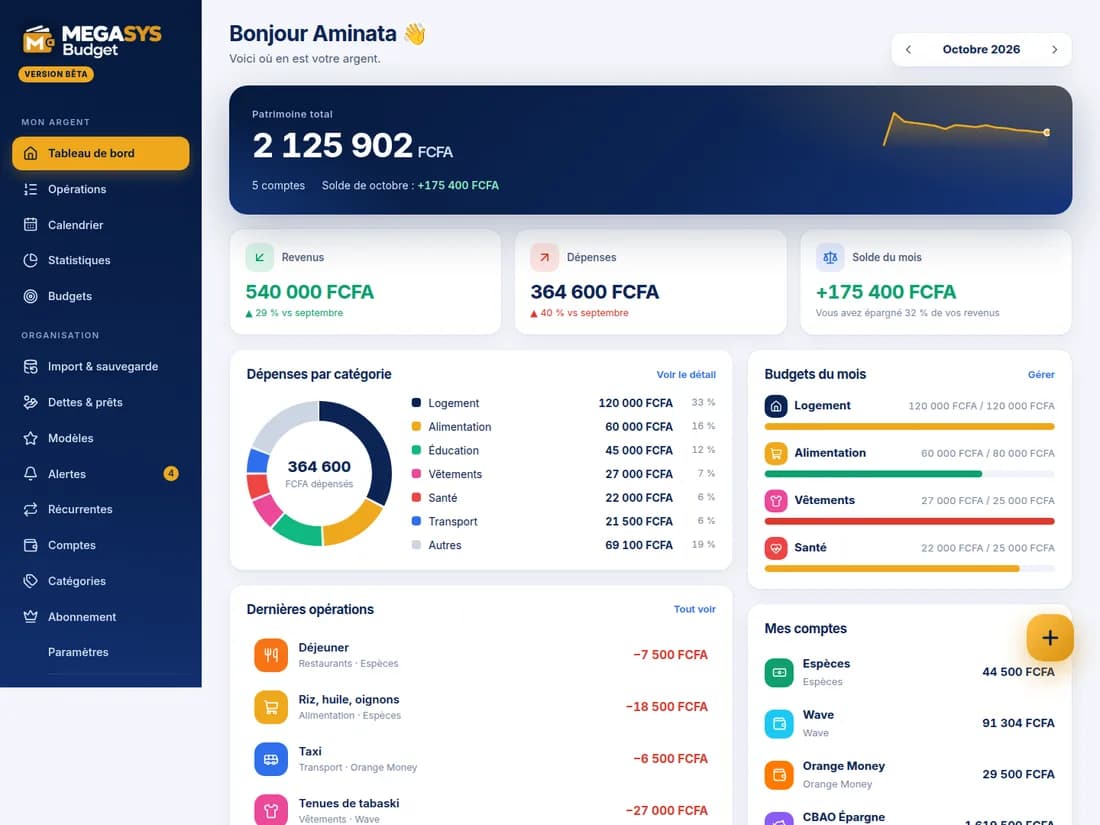
Megasys Budget tracks your spending and income across all your accounts: cash, Wave, Orange Money, Free Money, bank, savings. Set budgets with alerts, automate your recurring transactions and log entries in seconds, with a receipt photo or a WhatsApp message.
Sign in with Megasys ID
Wave · Orange Money · Free Money
Receipt photo and WhatsApp entry
Free plan
How it works
Your budget in three steps
- 1
Add your accounts
Cash, Wave, Orange Money, bank, savings, tontine, loan: each with its balance and currency.
- 2
Log your transactions
By hand, from a template, with a receipt photo, with a WhatsApp message, or let recurring transactions create themselves.
- 3
Steer with budgets
A cap per category, an alert at 80% and when exceeded, clear statistics to decide.
Everything you need to control your money
Accounts & transactions
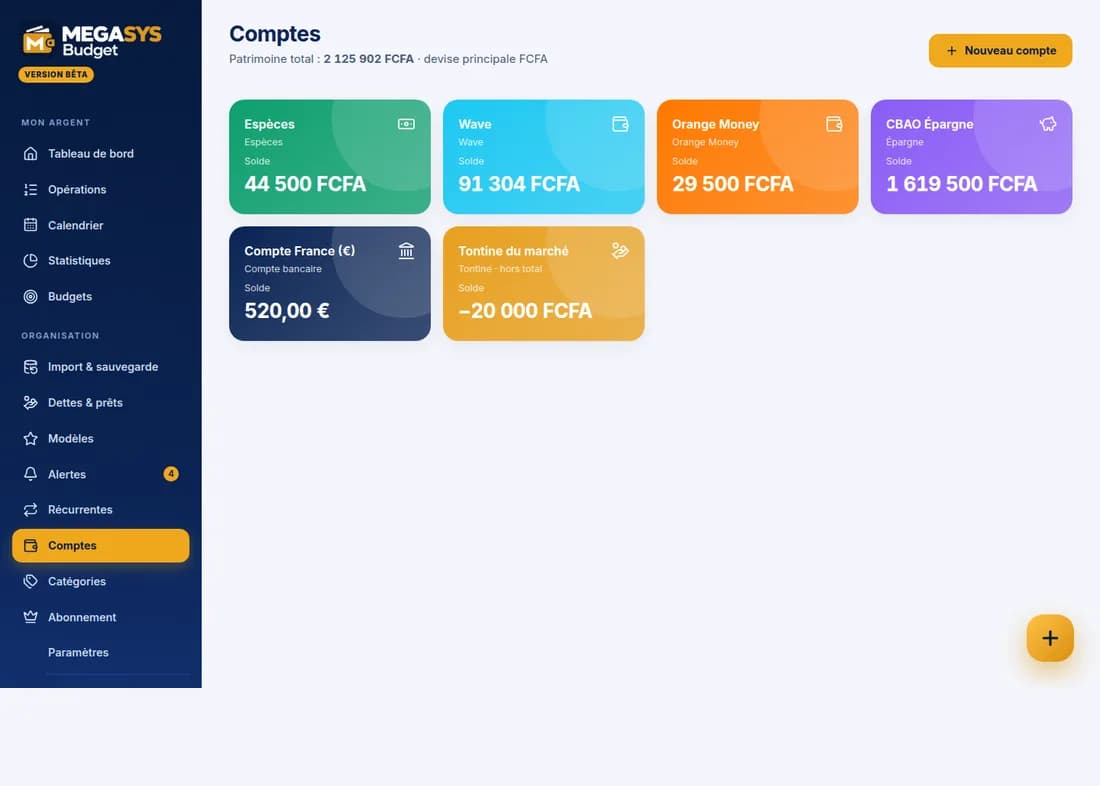
All your accounts in one place
Cash, mobile money, bank, savings, card, tontine, loan: see your net worth and record expenses, income and transfers, with fees and even across currencies.
- Wave, Orange Money and Free Money as full accounts
- Transfers between accounts and currencies, fees included
- Receipt photo kept on the transaction (if you wish)
Fast entry
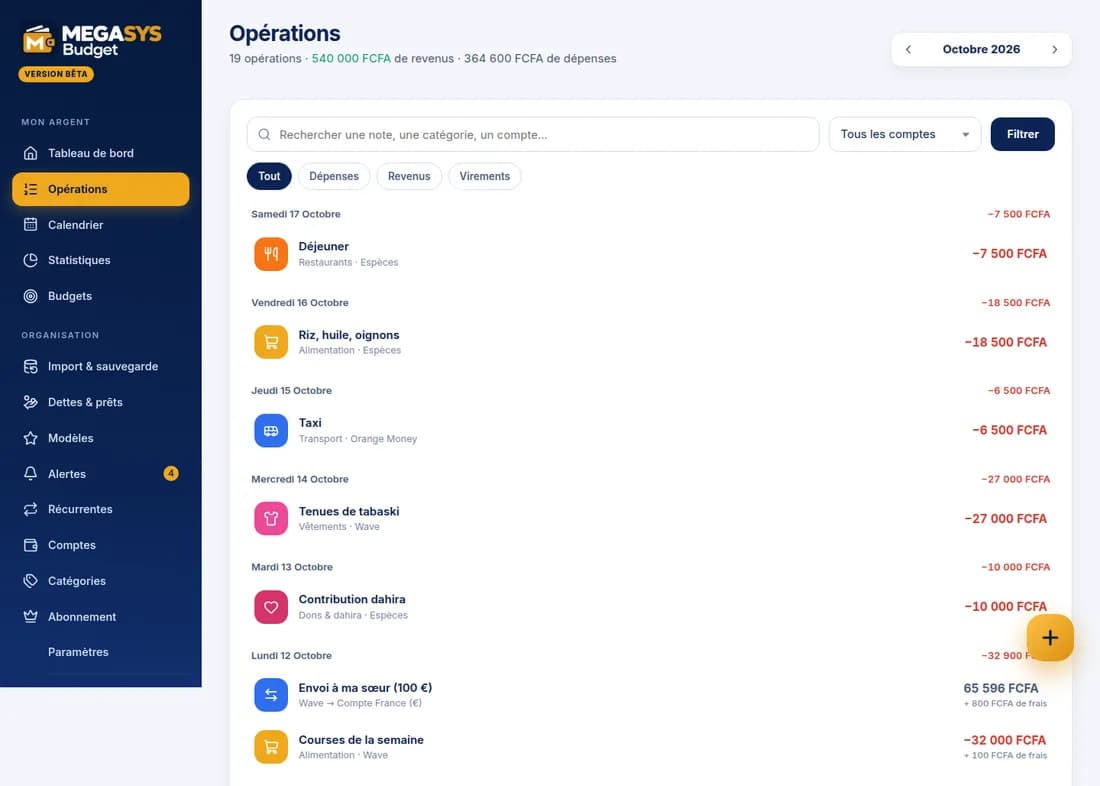
Less typing, more clarity
Save time: two-tap templates, recurring transactions for rent or salary, a receipt photo read by AI, or a simple WhatsApp message.
- Recurring transactions (rent, salary, subscriptions) created automatically
- AI-read receipt photo: you check before saving
- WhatsApp: “BUDGET 2500 rice”, “BUDGET +50000 salary”, “BUDGET balance”
Budgets & alerts
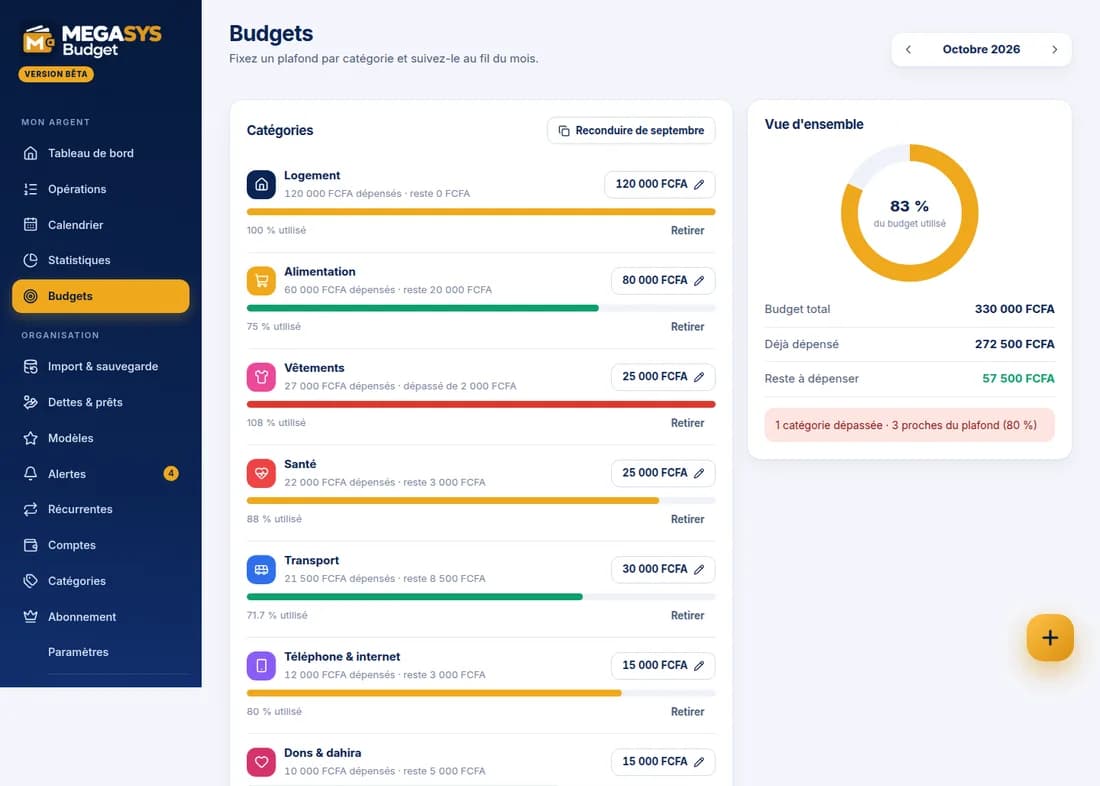
Stay on course, month after month
Set a cap per category, carry it over from one month to the next and get warned before you exceed it.
- Alerts at 80% and when exceeded, in the app and on WhatsApp
- Carry over last month's budget
- Tracked debts and loans, with due dates and partial repayments
Statistics
Understand where your money goes
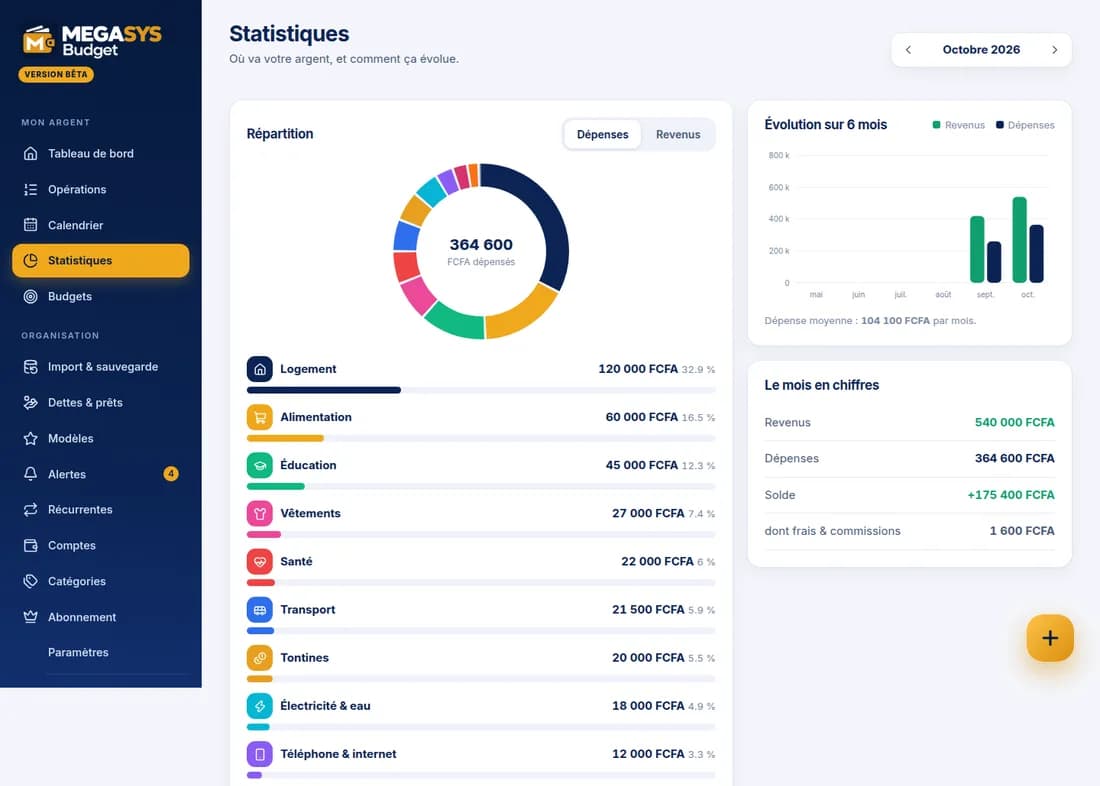
Breakdown by category, six-month trend, calendar of transactions: the essentials at a glance, no spreadsheet.
- Income, spending and monthly balance compared with last month
- Day-by-day calendar
- CSV export, Money Manager import (CSV / Excel) and full backup
Built for
Individuals
See where your salary goes, save and stick to your caps without the headache.
Families
A shared household: joint accounts, transactions with their author, household budgets and alerts for everyone (Premium Family).
Shopkeepers and freelancers
Keep everyday money and business money apart, with Wave and Orange Money.
Diaspora
Multi-currency accounts and transfers between currencies, to follow what you send home.
Free to track, Premium to go faster
Tracking your budget (accounts, transactions, budgets, statistics) is free. The Premium subscription adds AI receipt reading, WhatsApp entry, advanced export and more attachments, with a free trial; Premium Family extends these benefits to the whole household. Pay with Wave or Orange Money.
- Single sign-on with Megasys ID
- Your data stays private
- Android mobile app being tested
In the Megasys ecosystem
Megasys ID
One account to sign in to Budget and every Megasys platform.
Megasys NATT
Your tontine contributions, payouts received and solidarity gifts flow into your budget, if you wish.
Megasys Notify
Budget alerts, due-date reminders and WhatsApp entry.
Megasys Pay
Payment of the Premium subscription by Wave or Orange Money.
Frequently asked questions
Is my data private?
Yes. Your budget is personal and tied to your Megasys ID account. It is shared only if you create a household and invite family; the manager of one of your NATT tontines never has access.
Is it free?
Tracking your budget is free. Some features (AI-read receipts, WhatsApp, advanced export, extended family sharing) belong to the Premium subscription, with a free trial.
Can I bring my data from Money Manager?
Yes: import your CSV or Excel file, check the preview (duplicates are detected), then confirm. You can also back up and restore all your data.
How does WhatsApp entry work?
Write “BUDGET 2500 rice” to the Megasys number with a phone number verified in Megasys ID: Budget proposes the transaction, you confirm with a button, and it is saved. A receipt photo captioned “BUDGET” works too.
Is my mobile money or bank account linked automatically?
No: Budget has no access to any bank or mobile money account. You enter your transactions (faster with templates, recurring entries, receipt photos or WhatsApp) or import a file.
Is there a mobile app?
The site works on your phone, and an Android app is being tested.
Ready to see clearly?
Open your budget with Megasys ID and add your first accounts.